My Top Tools for Organization

In the past few years, I have a variety of tools that I’ve used to help me stay organized and on track. It’s been hard to make the switch from paper to digital. But I’ve done it.

GCal

First and foremost these days is Google Calendar. Without Google Calendar, I would probably still be using a paper calendar as my primary form of staying organized. Google Calendar is easy to use and easy to sync to nearly any mobile device. I have Google Calendar synced to my iPhone and iPad. I don’t bother using any other calendar app including Apple’s iCal. If anything were to happen to Google Calendar, I’d probably go back to using a paper calendar. (Although I’d hate it because it wouldn’t be nearly as convenient.)

Todo by Appigo

I also use Appigo’s ToDo on my iPhone as my primary to-do list. It is $4.99 through the App Store, but in my opinion, well worth the price. It is simple, easy to use, and does a variety of things that I need it to do such as repeating tasks on a daily, weekly, biweekly, or monthly basis. I have the option of creating a regular task, a project (for multilevel items), or a checklist (best for grocery lists).

Time Master Billing

Time Master + Billing on the iPhone keeps me on my toes as far as my freelance work goes. I am able to enter different clients, track my time, see how much I’ve made, and back up my progress to Dropbox. I’m sure there’s much more I could do with the app. It’s a hefty $9.99, but with the freelance work I’ve gotten, I’ve made my money back on the app.

QB

Quickbooks Pro on my desktop computer has been invaluable in helping me to invoice clients. (So has PayPal, but I still go back to using Quickbooks.) With Quickbooks, I am able to customize my invoices, balance my checkbooks, generate tax forms, and much more. I primarily use Quickbooks to generate invoices, process payments received, and generally keep track of my finances regarding freelancing. Quickbooks is a huge help come tax time because it can generate various reports for me, such as mileage traveled for work, how much I’ve earned during a tax year, and my expenses during a tax year.

erik-file-cabinet

Finally, IKEA’s Erik filing cabinet has been helpful in organizing all my loose papers. (I’m not a paperless office!) It is sturdy and the drawers roll out smoothly. I have one Erik filing cabinet and am planning to buy another because of how well built it is. It’s $99.00 but a good investment over the cheap-o filing cabinets from Staples (of which I have one).
iPhone/iPad/iTouch Productivity: Lists & Tasks App Mania

I’m an organizational/planning freak. As a result, I’m CRAZY about lists.

  • If there’s something to do, it goes on a list.
  • If there’s something I want to purchase, it goes on a list.
  • If there’s a book I want to read, there’s a list for that too. (Goodreads is fantastic, btw.)

I have grocery lists, travel lists, and wish lists. I am your List Maven Du Jour.

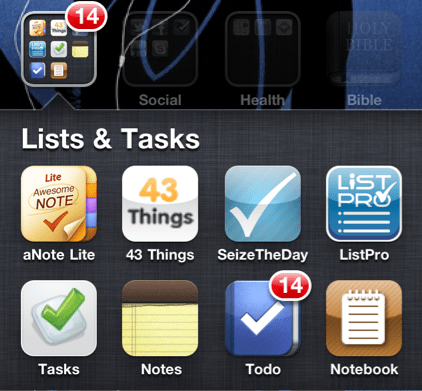
I received an iPhone for Christmas, and as a result, have been exploring the to-do list apps in Apple’s App Store. At one point, I downloaded about six (free) apps all at one time just so I could try out their features. (Note: An app that was free has since begun charging since I downloaded it.) A few of them were free “lite” apps meaning that they had limited features for you to try out before plunking down the cash to use the full version. I really appreciated this since I’m judicious about paying even $.99 for an app unless I know it’ll be good. I don’t download apps that cost money unless I’ve tried them for free first or their ratings are so spectacular that the app is likely to be good. (App Store users: PLEASE pay attention to ratings and reviews. They are your friend. They will spare you from forking over $1.99 for a prank app that looks real.)

So, I’ve made a list of pros and cons for each of my six apps. Some things I’ve listed as cons might be pros for you. This is not a comprehensive list of To-do/Task apps but simply the ones that I tried. I purposely avoided the super-popular ones like Remember the Milk and Toodledo (because they cost money). Hopefully you’ll find one that works for you.

[Update as of 1/30/2011: the basic Remember the Milk app is free for Apple mobile devices.]

Continue reading “iPhone/iPad/iTouch Productivity: Lists & Tasks App Mania”

Day 25 of Enjoying God: Daily God

Image from mundiwestport.fashion41.com

Today, I had to write everywhere in the apartment the following: ONE THING AT A TIME. (Yes, in all caps to get my point across to myself.)

I felt overwhelmed by the disarray of my surroundings and all the tasks before me. Visually and mentally, I saw clutter, disorganization, and messiness.

But God, who the Bible calls the Ancient of Days (Daniel 7:9, 13, 22) and is the supreme organizer and task manager, takes things one day at time. (But, if you’re of the day-age theory, 1,000 years can be as a day to the Lord. [II Peter 3:8])

It is why Jesus prays in the Lord’s Prayer (or the “Our Father”) “give us this day our daily bread” (Matt. 6:11).  It is also why Jesus admonishes us not to worry about tomorrow because today has enough trouble of its own (Matt. 6:34).

Whether a Christian subscribes to a 7-day (as humans know it) creation theory or the day-age creation theory, the general idea is that God approached one task or one project at a time:

  • Day 1 (or 1,000 years): God created morning and evening.
  • Day 2 (or 2,000 years): God separated heaven and earth (which had already been created from the beginning).
  • Day 3 (or 3,000 years): God separated land from water and created vegetation.
  • Day 4 (or 4,000 years): God created the sun to shine on the earth by day and the moon to illuminate the earth by night, further adding distinction between morning and evening.
  • Day 5 (or 5,000 years): God created creatures for air and sea.
  • Day 6 (or 6,000 years): God created land species: all animals for land and the first humans.
  • Day 7 (or 7,000 years): God rested, instituted the Sabbath to be holy, and performed no work or tasks.

As the days went on, God got more and more complex with his tasks (going from creating one general thing to two general categories with many subcategories, er, subspecies if you will). But the thing is, God took life one day at a time and to enjoy Him fully, I need to follow that example. I need to stop Americanizing my life by multitasking and overloading myself with 500 things I can’t possibly accomplish one day and approach tasks the God-centered way: one thing at a time, one day at a time.

Day 13 of Enjoying God: CPO (Chief Planning Officer)

Image from rohdesign.com

The LORD brings the counsel of the nations to nothing; he frustrates the plans of the peoples. — Psalm 33:10

I can’t tell you how many times in the past two months I have dropped food on my pants (of all places) and cried in frustration, “I just washed this!”

To me, a day or two after I’ve pulled my clothes out of the wash, it is simply inconvenient to have to throw my clothes back in for a stain. (And they’re clothes I usually really like too.)

My friend’s husband once called his wife the CPO of the household—the Chief Planning Officer. I’ve happily adapted that title to my role as well since I love to plan and am the one who schedules appointments and events on our calendar.

But today, after dirtying my clothes for the umpteenth time I realized I’m not the real CPO here—God is. He makes the plans, he determines even the minutiae of me having to throw my clothes back in to the wash two days after I’ve just pulled them out. (sigh)

There are tons of verses in the Psalms and Proverbs that emphasize that even though man makes His plans, the Lord establishes them all. I may consider myself the Chief Planning Officer of the household but God is the Chief Planning Officer of my life.

Can’t… Contain… Myself…

Notice: I was not paid for this post. This post was not endorsed by The Container Store, and in fact, The Container Store has no knowledge of this post. (And if The Container Store ever does, no, I don’t do giveaways, but I do accept free gift cards loaded with denominations greater than $0!)

I went to The Container Store in Cherry Hill, NJ after work today. I think my favorite hobby/interest next to reading and writing is organizing. The funny thing is I’m rather messy but organized messy. (Ha!)

Here are some of the purchases I made today (subsidized by a $25 Container Store gift card):

Drawer Organizer
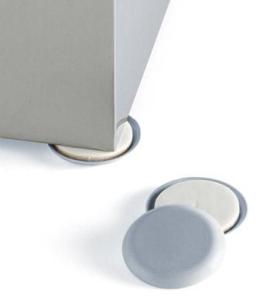
Magic Sliding Discs
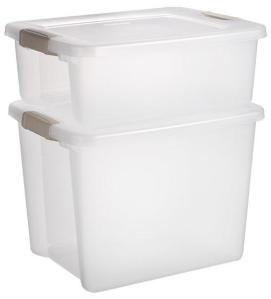
Storage Container
Receipt File
Business Refill Cards
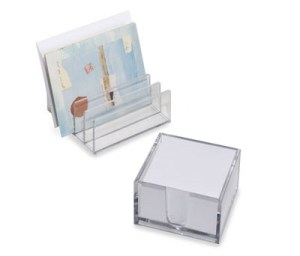
Clear Letter Rack
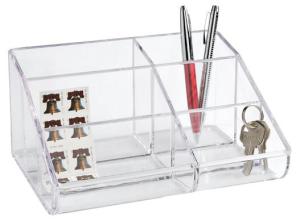
6-section Acrylic Organizer

Here’s what I wish I’d gotten:

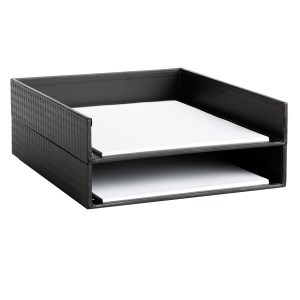
Letter Tray: for storing documents in a compact space
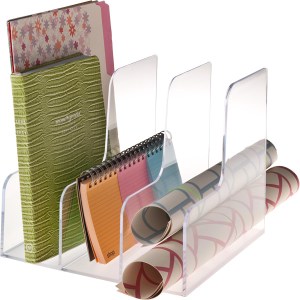
Acrylic Magazine Sorter – better support for my letter-size folders
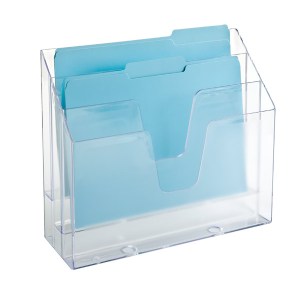
3-Section Vertical File – another great option for the clear letter rack or acrylic magazine sorter
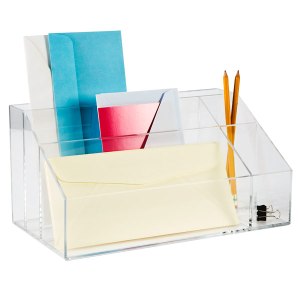
Acrylic Desktop Mail Center – more what I was looking for rather than the 6-section organizer
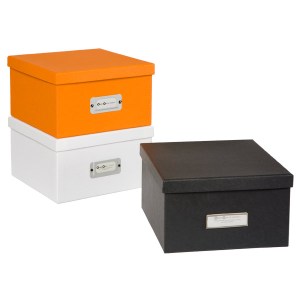
Photo Storage Boxes – for the mementos I currently have sitting in shoeboxes

And if I had more money to blow:

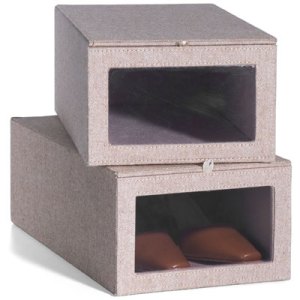
Tweed Shoebox – I have six already and I simply love them! Wish I could purchase more.

Now the problem is that I’m ready to purchase more!

I also love See Jane Work (exclusively online) pieces because they’re so aesthetically appealing but I balk at the pricing.

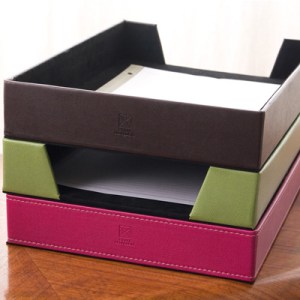
Basics Letter Tray – I’d choose Black but $25 is hefty for a set of 2.
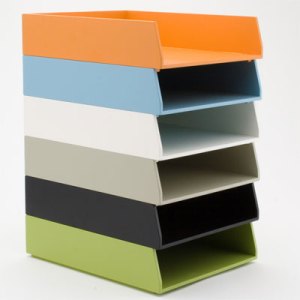
Paper Tray – I also love the colors of the paper trays but $26 is hefty for a single piece.

Target is also another great place to score affordable home office finds that are well designed. (I’d recommend going to the Home Office section in store rather than browsing online.)

(sigh) I think I’d be pretty happy being paid to organize homes. Just need to address that teensy time management problem now…